Mysteria Studio and Asterfel

As part of my game programming education I interned remotely for Mysteria Studio. I started full-time from September 1st, 2025, and will finish my internship on April 10th, 2026. Mysteria Studio is developing Asterfel, an open world third-person action-RPG inspired by Gothic and The Witcher.
Working for Mysteria has been a valuable experience for me - I got to learn what it was like to develop a game professionally, both in terms of tasks and communcation. I found that my game programming education at The Game Assembly had prepared me better than I had expected, and learning Mysteria's approach has helped round out my understanding of game development.
My primary responsibility was Asterfel's gameplay, most of all the combat. Still, with a team size of about 16 people I had to stay versatile and spent much of my time fixing and improving many other parts of the game.
Asterfel is based on asset packs that have been bought and developed upon by the team for several years before I joined. My work was mostly focused on iterating upon existing code, fixing bugs, and modifying the asset packs to suit our needs. As I am used to creating games from the ground up at The Game Assembly, it was a positive learning experience to work on a project where I can improve my abilities in reading others' code and iterating upon it. Likewise, Asterfel is made with visual scripting in Unreal Engine 5, while The Game Assembly is focused on custom engines using c++, meaning I have become proficient with both.
If you are interested in reading more, I have listed some of my more interesting contributions to Asterfel below.
Gameplay Improvements

Combat Version Data Tables
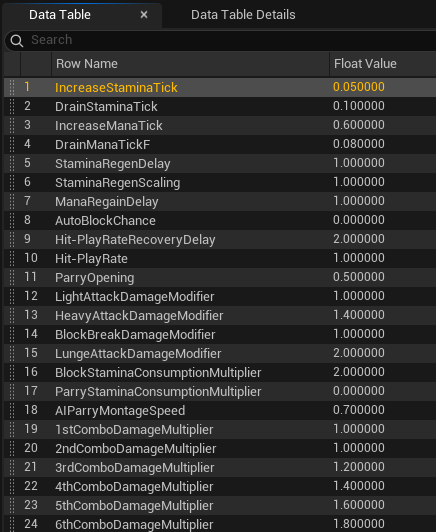
As Asterfel originated from an asset pack, its default design and balance had to be significantly altered. However, we wanted to remain flexible on exactly what end result we were aiming for, and wanted to test some different versions of the game's combat to see what we liked.
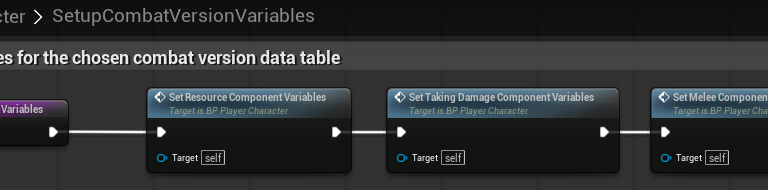
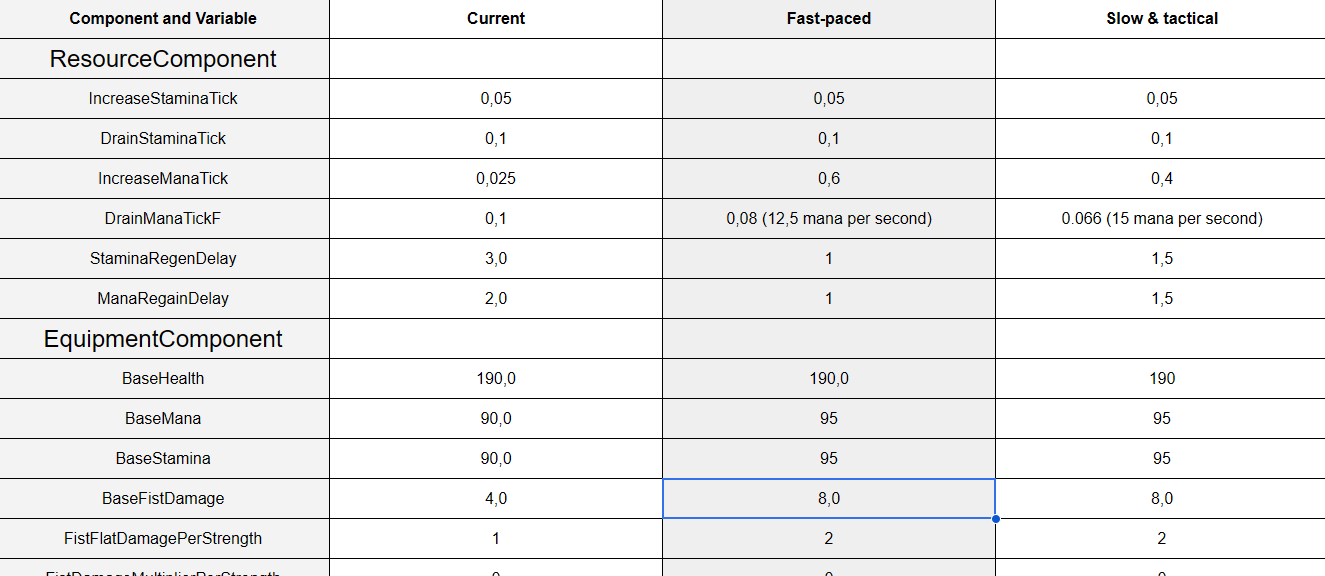
My solution was to create three different data tables containing the relevant variables the player character used for combat - one that kept the current version's variables, one that was tweaked to be more fast-paced, and one that slower and more tactical. I then implemented the ability to load the variables from the data tables using numpad key 1, 2, and 3.
The result was that our game designer and playtesters were able to effortlessly switch between the different combat versions in order to decide what parts they wanted to keep. It also made balancing the game much easier for our designer, as all the important gameplay variables were organized into data tables rather than being scattered across blueprints.
As development continued I kept adding relevant variables to the combat version data tables, meaning that our game designer could keep tweaking new features as they were added.
Camera Improvements
When I joined Mysteria, the camera was right behind the player, and the code was under the assumption that it could use the camera transform as the player's transform. Since then, I have placed the camera to the right and adapted the code to function with it, adjusted the lock-on point on enemies, and added the option for the player to use soft lock-on.
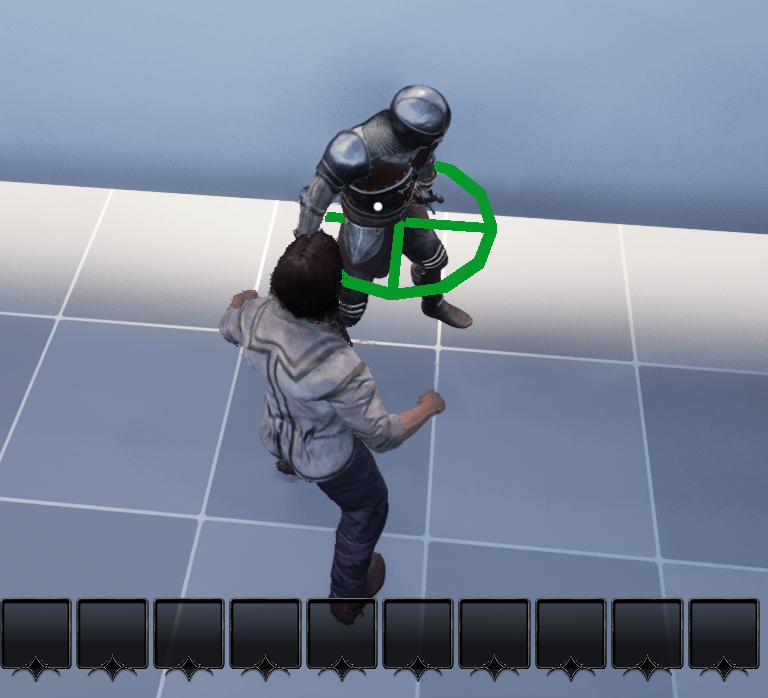
Previously, all enemies would have their lock-on point at their hip joint. This meant that the camera would look down quite sharply when the player was locked on to an enemy. I added a variable to our data table for enemy stats that let our game designer change the height of each enemy's lock-on point, allowing us to adapt it to suit each enemy. For example, wolves have their lock-on points floating above them, while humans have them at their collarbones, giving the camera a better angle when locked on.
Soft Lock-on
Asterfel is intended to be accessible to both PC and console players, so I added soft lock-on as an optional feature that the player can enable or disable.
The soft lock-on is different to the hard lock-on in that it is activated by the player looking at an enemy for a short amount of time, rather than the player pressing a key to enable it.
In order for it to be less interruptive, I made the soft lock-on smoother and slower than the hard lock-on. I made the pull become exponentially stronger the further from the target the camera is, but I capped it at the point where it is just fast enough to prevent the player from breaking the soft lock-on simply by moving around. This ensures that the camera is not too reactive and that it is easy for the player to break the soft lock-on simply by looking way.

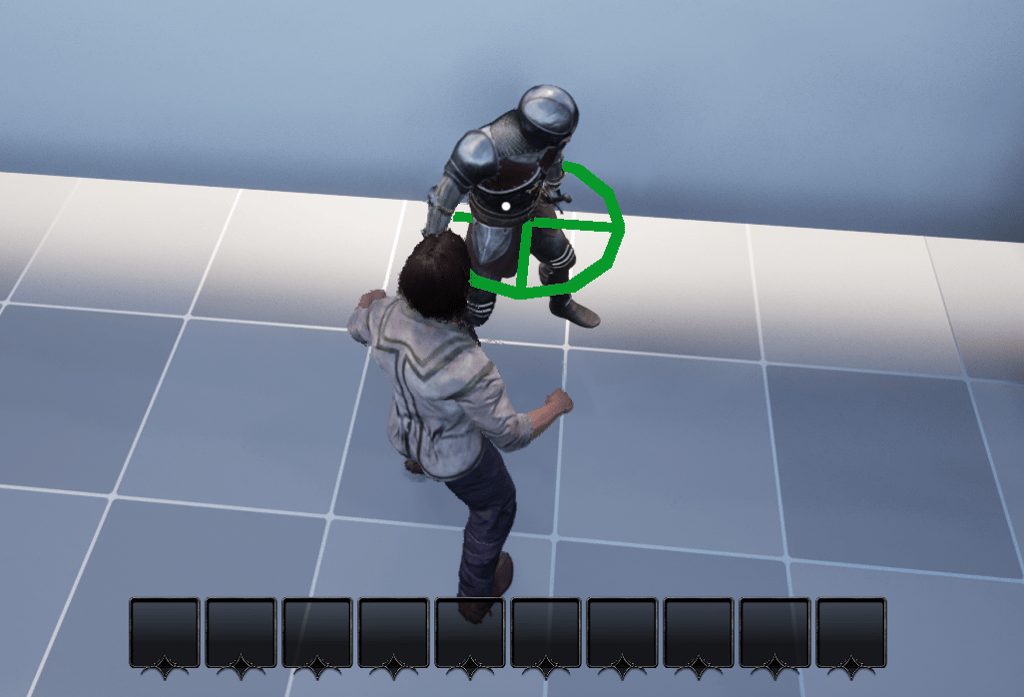
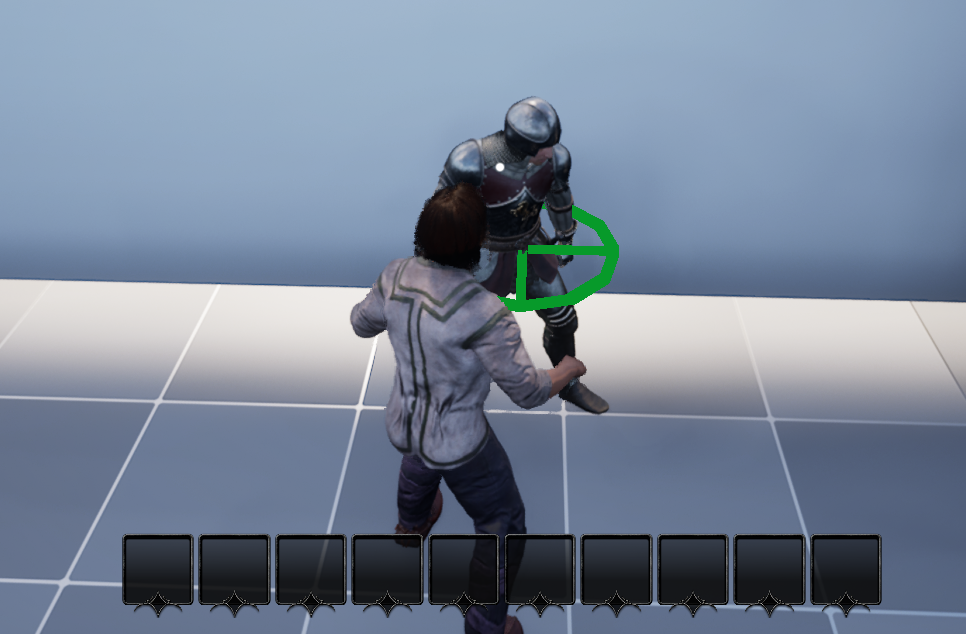
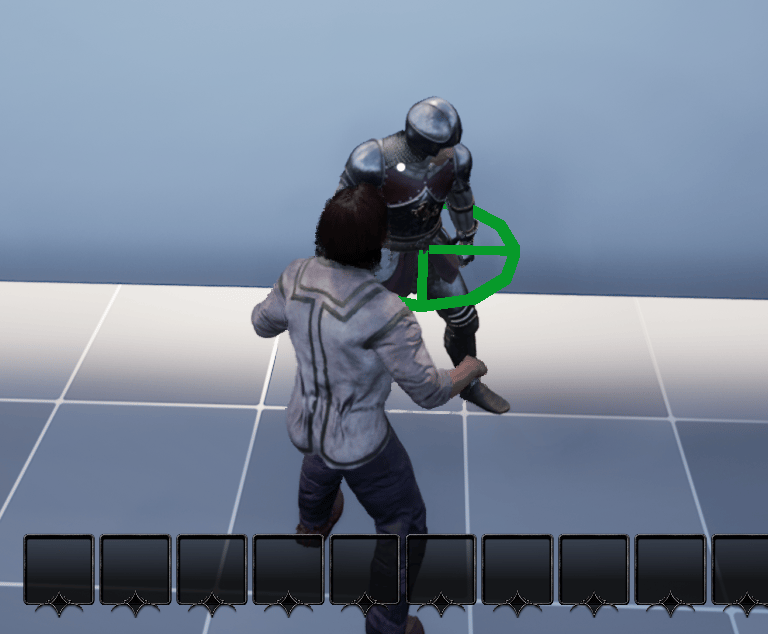
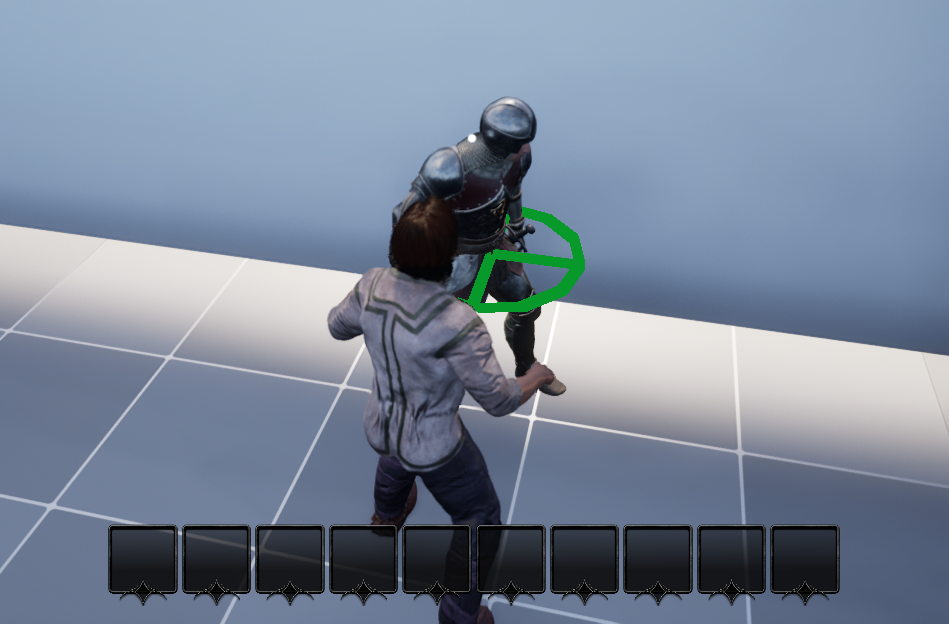
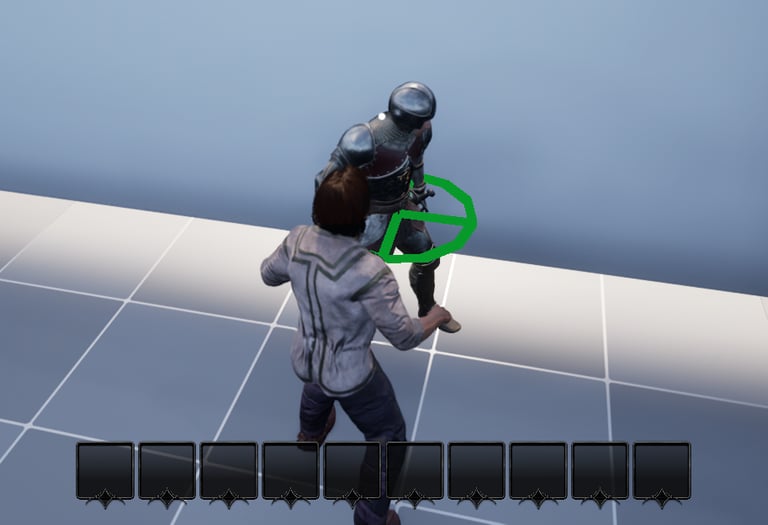
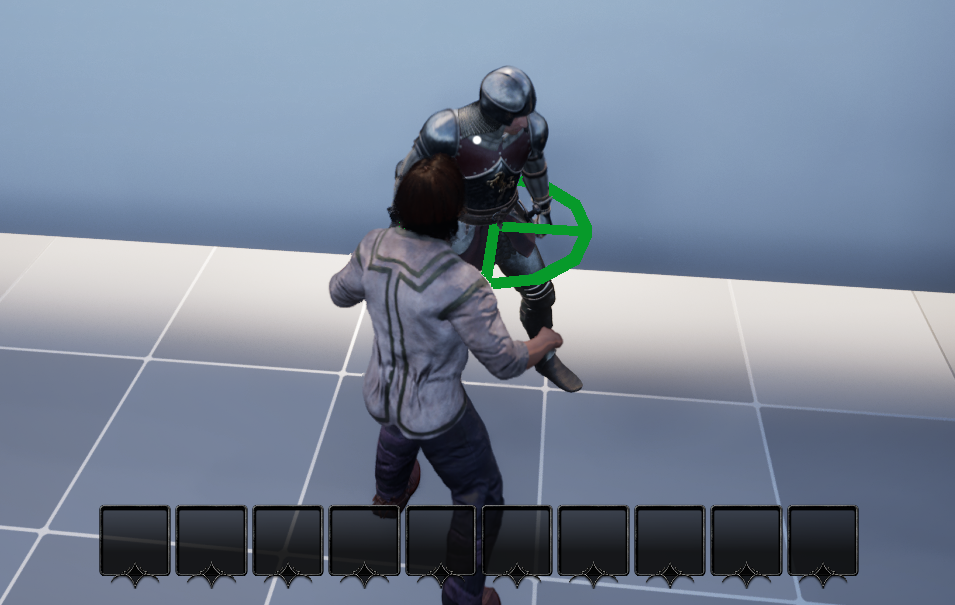
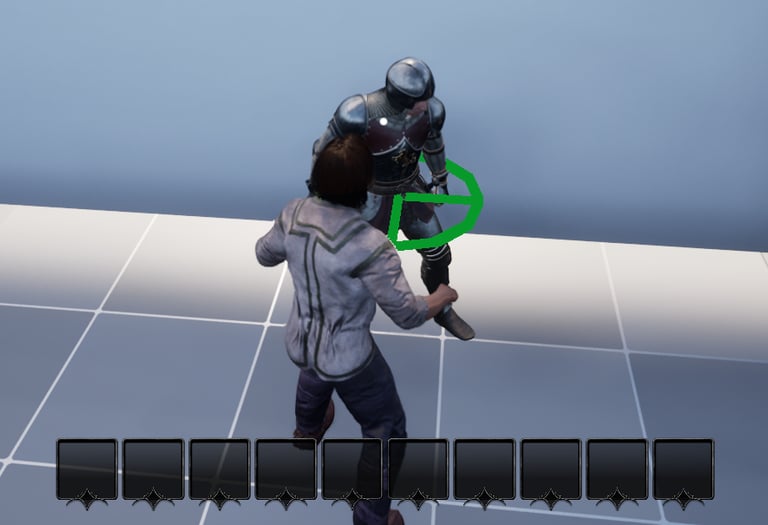
Hip joint lock-on point
What the player sees
Where the lock-on actually is
Custom lock-on point
Raising the lock-on point lifts the camera to a more neutral angle
I avoid situations where the camera is pointing down too sharply by invisibly elevating the lock-on point when the player is very close to the enemy
Animations
At the start, Asterfel used a single rolling animation for dodging. We wanted to test if step dodges would feel better, so I implemented new dodge animations and the ability to jump forwards, sidestep, and backstep. Because this was an experimental change, I placed a variable in the combat version data tables to enable playtesters to switch between the two styles of dodging. In the end we decided to go with the new dodges as it made the combat snappier and more precise.
To further improve the game feel, I implemented the ability for the player to block or dodge to animation cancel attacks they just started, allowing them to react to danger rather than having to commit to attacks.
Additionally, I made it so that the end of dodges could be animation canceled to skip the recovery animation, but only when the player switches to another action. If the player keeps dodging, they are punished by having to wait for the full animation to finish before they are able to dodge again, leaving a window where the player is vulnerable to damage.
Additionally, to prevent the camera from looking down too sharply at enemies with a lower lock-on point when the player is close, I made lock-on points invisibly increase in height when the player is very close. The effect is that the camera essentially gets a maximum downwards angle, and will not reach extreme angles when an enemy is very close.
Collaboration
During my time at Mysteria, my biggest cross-disciplinary collaborations lay in developing tools that the narrative designers could use to implement quest functionality, as well as gameplay changes that the game designer could test and give feedback on.
Quest Functionality Tools
In our project, the ways our designers could implement quest functionality were limited and specific. Part of my job was to understand what I needed to do based on the needs they communicated, so that I could expand their tool set to the point where they could implement everything they wanted. In turn, I also needed to guide them on how to use the new tools and functions I implemented. Here is an example of this process:
One of our narrative designers was facing the issue that NPC A needed to give the player a specific dialogue after they completed the first objective in a quest given by NPC B. NPC A didn't own the quest, and therefore had no access to the state of the objectives, so it could not know when it was time to give the dialogue. Therefore, the narrative designer wanted a way for NPCs to know the state of any quest, so that they could always know what dialogue to give.
I realized that the real issue wasn't that NPCs needed to know the state of quests they didn't own, but rather that we didn't have a way to activate and deactivate dialogues as quests progressed.
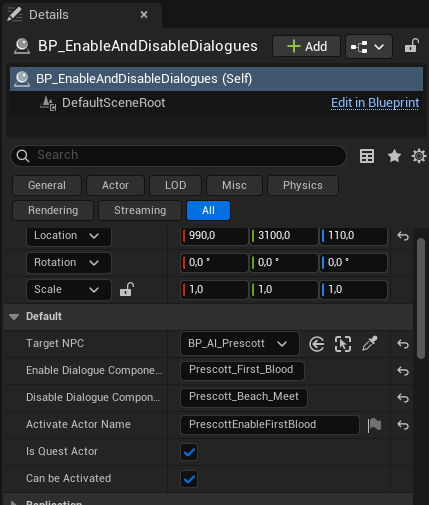
We already had the functionality for designers to activate a blueprint with a command when a specific quest objective was completed, so all I really needed to do was to create a blueprint that could disable and enable dialogues for a chosen NPC.
After implementing the blueprint, I had a meeting with the designer where I gave her a walkthrough on how to use the blueprint and how she could trigger it to enable the dialogue on the NPC she wanted. The only interaction she had to do was to set the variables in the blueprint's details panel, meaning she did not have to look into any code.
In this way, I analyzed what the designer actually needed, turned it into an actionable task that I implemented, and explained how it could be used.
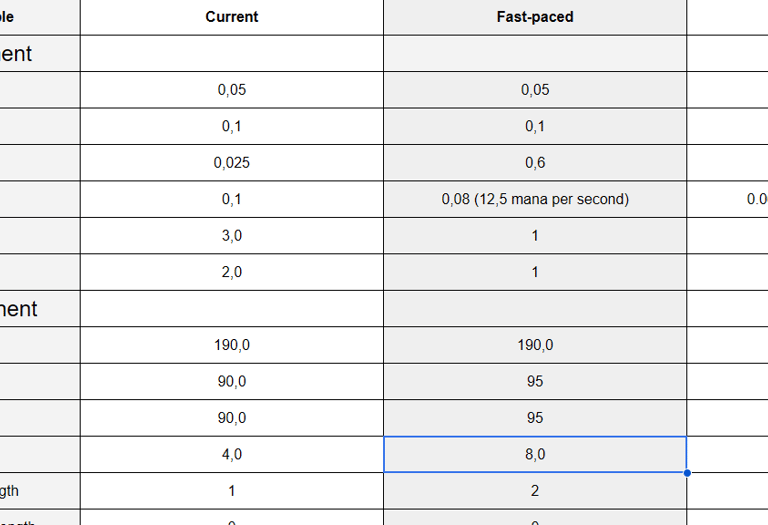
Game Variables
Me and our game designer worked together on deciding how we should balance and design the game. When we first created the combat version data tables, we went through all the variables and agreed on what values we wanted for each version. To make it easier for us to compare and organize this data, I created a Google Sheets spreadsheet that we could edit together in real-time.
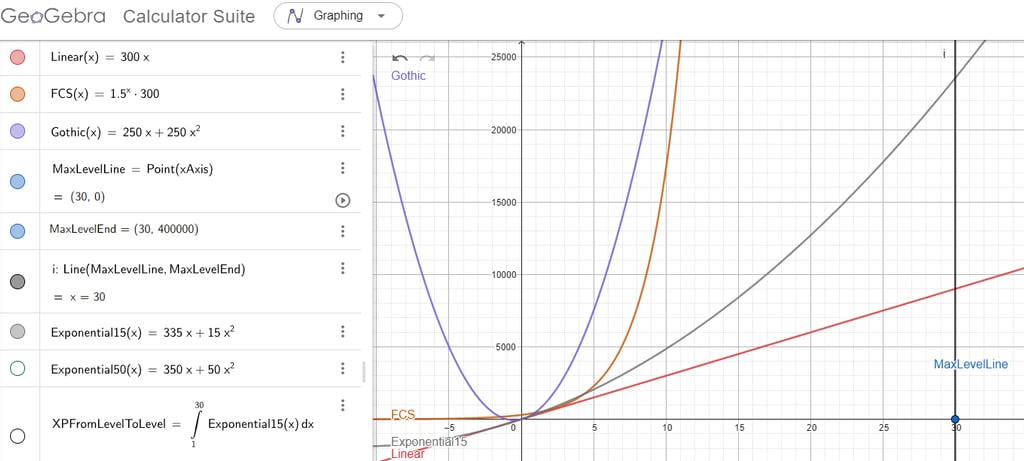
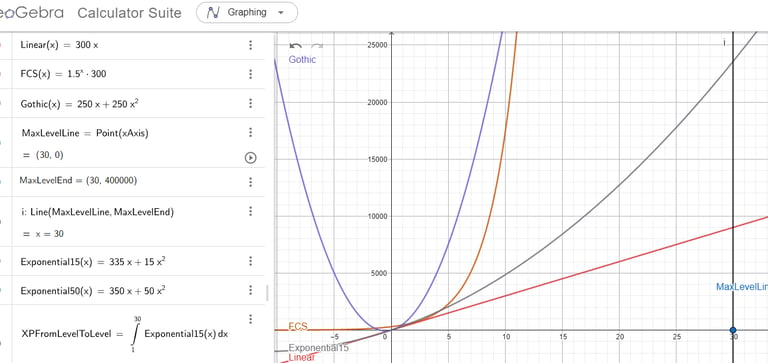
Later on, when we were deciding what the player's XP curve should look like, I suggested GeoGebra, an online graph-making tool. We used GeoGebra to compare different reference graphs and to find one with a curve we liked. We then used a spreadsheet to turn the XP function into a more digestible table of XP per level.
Weapon Collision
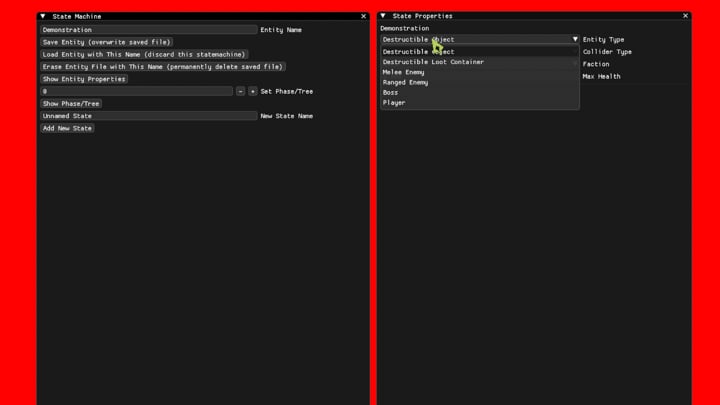
One of my most technically advanced contributions to the project was fixing our weapon collision. In Asterfel, when an entity attacks with a weapon, the game traces collision at joints placed along the weapon. As the attack progresses, the current joint position traces back to the previous joint position to check if something intersects that line.
The most immediate problem that arose from this method of collision detection was that the tracing would deteriorate the lower the frame rate was. At 20 frames or lower it would be effectively impossible to hit with the faster attack animations as the weapon would move so far in a single frame that the animation would almost be over before a trace was made.
Though I believe there are better alternatives to this method, my task was to fix the symptoms rather than spend the time required to implement an entirely new system. My solution was to add mathematically calculated interpolation points between each actual traced point.
While working on the collision I noticed that all the attack animations could, more or less, be approximated as circular. Knowing this, I was able to calculate the difference between joint positions as points on a circle.
dexter@abrisius.se
+46 72 172 70 66